
Contact Us
The Service Desk provides free first-level troubleshooting for accounts, programs, and systems at CUIMC via phone, email, our remote support tool, and chat. You may also schedule remote support appointments. For a more detailed guide on scheduling an appointment, review the Schedule a CUIMC IT Remote Support Appointment article
Hours of Operation
Phone Support
Extension 5-Help (212-305-4357), option 5.
- Monday - Friday: 7:30 am to 7:30 pm
- Saturday: 9 am to 5 pm
- Sunday: 9 am to 5 pm
Chat Support
- Monday - Friday: 9:00 a.m. to 5:00 p.m.
Live Chat
Chat is available for any CUIMC faculty, staff, or student to use from Monday through Friday between 9am and 5pm. To access it:
From the CUIMC Homepage
- On the CUIMC Homepage, select IT-Chat in the upper-right corner of the page
- You may be prompted to log in with your UNI username and UNI password

- You may be prompted to log in with your UNI username and UNI password

From the Employee Service Portal
Once already logged into the Employee Service Portal, click on the blue and white chat bubble icon in the lower right-corner

How can I create a ticket?
- Click Get Help in our main navigation bar, then Ask a Question in the drop-down menu
- If you are already on the Employee Service Portal, scroll down and click Ask a Question
- Send an email to 5help@cumc.columbia.edu
For help managing tickets, requests, and approvals: https://it.cuimc.columbia.edu/my-tickets
Response time for tickets submitted via email is 24 - 48 hours. For urgent issues, please call us at 212-305-4357, option 5.
TechBar Walk-in Desk
- Monday - Friday: 9 a.m. to 6 p.m.
- Saturday: 9 a.m. to 5 p.m.
- Sunday: 9 a.m. to 5 p.m.
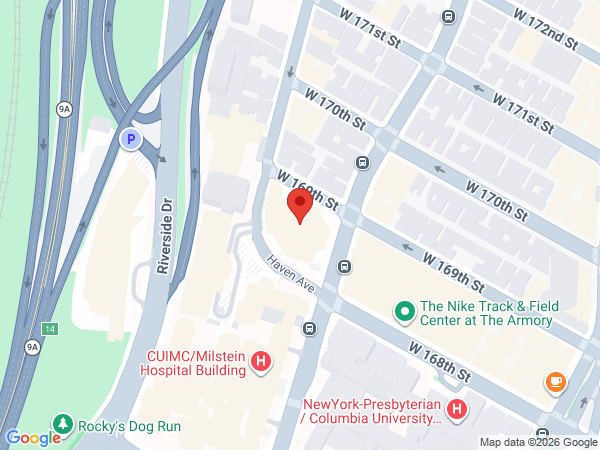
- The walk‑up desk is available to all users and is located in the Hammer Health Sciences Building, LL1-118.
- Prior to arriving at the Techbar, use the following methods to join the queue
- Scanning a QR code posted in Hammer 1st and 2nd floors and at most student printer locations
- At a computer located at the TechBar.
- Use the Walk-in support portal
- Once joined to the queue, you can view your place in the queue at the Walk-in support portal
- To prevent overcrowding, only 3 signed-in people may be in the TechBar area at a time.
- Faculty and staff may receive walk‑up assistance for account troubleshooting, adding accounts to new devices, and other minor services that do not require desktop or deskside intervention.
- Requests involving computer or software troubleshooting must be submitted through standard Service Desk intake channels for appropriate routing and dispatch, such as the Report an Issue form.
- The Service Desk can also be reached via the IT-Chat.